Spend Dat Dance AI
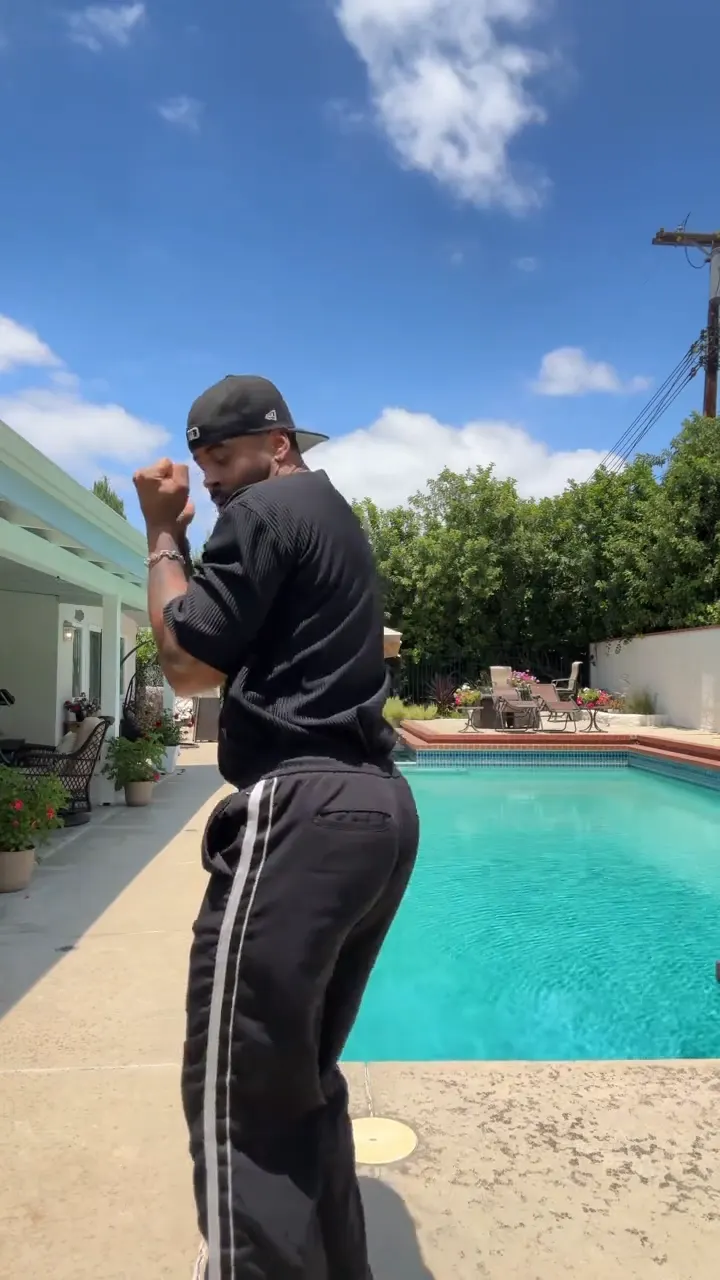 Original
Original dance by @antonpeeples on TikTok, with its original sound (tap for sound). Your video puts the person in your photo into these moves, with the same music.
Spend Dat, Yung Miami
Your photo
1 person or pet. Full body works best.
 Spend Dat1 credit
1 credit · ready in a few minutes
The Spend Dat dance is the TikTok challenge to "Spend Dat" by Yung Miami, the song of summer 2026: a low, bouncing groove, hands framing the face, a quick squat, a swipe of the hands and a slow turn to the back on the beat. Upload one full-body photo of a person and AI Dance makes them do the dance in an 11-second 9:16 video with the song, ready in a few minutes.
Spend Dat key facts
Updated
- Song: "Spend Dat" by Yung Miami, out April 24, 2026.
- Trend: over 2 million TikTok creates and a number 4 peak on the TikTok Viral 50 by July 2026.
- Moves: a bounce, face frames, a low squat, a hand swipe and a turn.
- Takes one full-body photo of one person.
- Video: 11 seconds, 9:16 MP4, made for TikTok, Reels and Shorts.
- Cost: 1 credit per video. A failed video gives its credits back.
- Ready in a few minutes. Videos have no watermark.
What is the Spend Dat trend?
"Spend Dat" is a solo single by Yung Miami, released with its music video on April 24, 2026. A dance challenge on TikTok carried it almost from the start: by mid-June it had debuted at number 66 on the Billboard Hot 100 and climbed to number 34, and by early July it was number 1 on Billboard's Rap Airplay chart, peaked at number 4 on the TikTok Viral 50 and had passed 2 million TikTok creates.
The routine is short and easy to copy: a bouncing groove, a swipe-like "spend" move with the hands and a pose. Parents, couples and dance creators posted it all summer under #spenddat and #spenddatchallenge, where the top posts passed 18 million views.
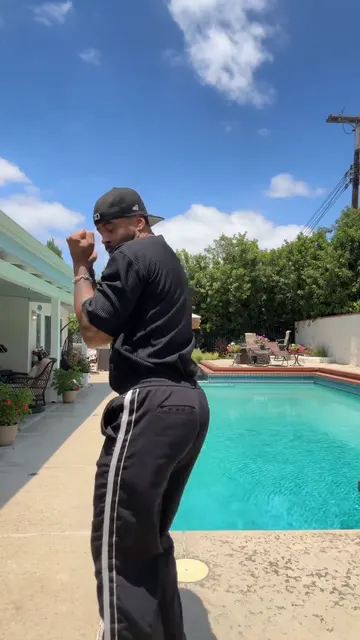
The clip on this page is by @antonpeeples, posted on June 30, 2026: a solo take of the challenge by a pool, full body, with the original sound. On AI Dance, the template copies the moves onto your own photo: your face, clothes and background stay, and your body follows the dance beat by beat.
The moves
A smooth solo on the beat: a relaxed bounce with the knees, both hands framing the face, a quick drop into a low squat, the hands crossing and swiping in front of the chest, a lean and a slow turn to show the back, then a guard-up pose with the fists near the face to finish.
How to make the Spend Dat video
Everything runs in your browser. No editing app and nothing to film.
Step 1: Add your photo
Upload one clear photo of you or a friend, facing the camera, as much of the body in the frame as you can.
Step 2: Tap Make my video
The Spend Dat dance costs 1 credit. The AI copies the moves onto your photo while you wait, about a few minutes.
Step 3: Download and post
You get a 11 second 9:16 MP4. It comes with the dance's music. Post it on TikTok, Reels or Shorts, and swap the sound inside the app if you like.
Best photo for Spend Dat
The photo decides most of the result. These tips are for this dance.
Works well
- Use a full-body photo, standing, facing the camera, with your feet in the frame.
- Leave some room above and below you: the dance drops into a low squat.
- Wide trousers and a plain tee look closest to the original clip.
- An outdoor spot or a plain room with even light works best.
- One person per photo. The AI animates the biggest person in the frame.
Gives weak results
- Group photos, or a second person cut off at the edge
- Faces turned away, covered or in deep shadow
- Blurry or very dark photos
- Heavy filters, stickers or text on the photo
Post it on TikTok, Reels or Shorts
- Your video comes with the dance's music. To use the official sound, turn the original sound down when you post and add "Spend Dat" by Yung Miami in TikTok or Reels.
- Start the video on the beat where the bounce begins.
- Use the trend tags people search for: #spenddat, #spenddatchallenge and #yungmiami.
- Name the dance in your caption, so people searching for it find your video.
Add Spend Dat by Yung Miami from the sound library of the app you post to, so your video uses the official track.
Spend Dat trend timeline
Yung Miami releases "Spend Dat" and its music video. Source
A Spend Dat challenge post passes 1.8 million views on TikTok. Source
XXL reports the song at number 34 on the Billboard Hot 100, carried by the TikTok dance challenge. Source
@antonpeeples posts the solo take shown on this page. Source
The song reaches number 1 on Billboard's Rap Airplay chart, after peaking at number 4 on the TikTok Viral 50. Source
Spend Dat questions
What is the Spend Dat dance?
The TikTok challenge to "Spend Dat" by Yung Miami: a bouncing groove, hands framing the face, a low squat, a swipe of the hands and a turn.
What song is it?
"Spend Dat" by Yung Miami, released on April 24, 2026. It reached number 1 on Billboard's Rap Airplay chart in summer 2026. The song has explicit lyrics.
Do I have to do the squat myself?
No. The AI moves your photo through the whole routine, so one photo of you standing is enough.
Can I do it with my partner or my parents?
This template animates one person. Make one video per photo and put them side by side in your editor.
Is the Spend Dat AI dance free?
No, Spend Dat costs 1 credit per video, but you can earn a free video by inviting friends. Invite 3 friends with your link. When 3 friends join with Google sign-in, you get a free video (1 credit), up to 10 times. Credit packs start at $4.49 for 3 credits, and the weekly plan is $7.99 for 8 credits a week.
How long is the Spend Dat video, and how long does it take?
The video is about 11 seconds long, in 9:16 MP4 for TikTok, Reels and Shorts. It is ready in a few minutes, and it also appears in My videos, so you can leave the page.
Who made the dance video on this page?
The clip on this page is by @antonpeeples on TikTok, shown with its original sound and a link to the original post. Your own video is made by AI from your photo, so you do not need to learn the steps.
Can I add the song?
Yes. Your video comes with the music of the Spend Dat dance clip, timed to the moves. To post with the official "Spend Dat" sound instead, add it in TikTok, Instagram Reels or YouTube Shorts and line up the first beat.
Make your Spend Dat video
One photo, 1 credit, ready in a few minutes.
More dances like this
People dancesDance trendsHow to make an AI dance video
Also on iPhone and Android:App StoreGoogle Play